
Screenshots
App details
- Updated
- 2024-11-27T10:18:26.2382466Z
- Requires
- Windows 10 version 14393.0 or higher
- Language
- English
- Developer
- VED PRAKASH JAISWAL
- Category
- Mobile
SoftPas in:
This product is also available in the following languages:
About MBOX Merge Tool
Download MBOX Merge Tool – MBOX file merger, merge MBOX files, MBOX file utility, email archive merger, vMail MBOX tool
Overview
The MBOX Merge Tool, developed by vMail, is a specialized utility designed to streamline the consolidation of multiple MBOX email archives into a single, unified file. This application addresses a critical need for users managing large volumes of email data from diverse sources such as Thunderbird, Apple Mail, or other email clients that use the MBOX format. The tool is particularly valuable for individuals and organizations transitioning between email platforms, conducting data audits, or archiving historical correspondence. By preserving the original folder and sub-folder hierarchy during the merging process, it ensures that organizational structure remains intact, minimizing post-merge reorganization efforts.
Target users include system administrators, data migration specialists, IT support staff, and professionals handling bulk email archival. The software is especially useful in scenarios involving legacy email system decommissioning or compliance-driven data consolidation. While the developer did not provide additional background on vMail’s history or broader product portfolio, the tool’s focus on precision, structure preservation, and ease of use suggests a targeted approach to solving a niche but essential technical challenge. Its presence in the productivity category reflects its role as a powerful yet focused utility within the digital workflow ecosystem.
Key Features & Functionality
- Effortless Merging: The tool enables users to combine multiple MBOX files into one cohesive archive with minimal user input. The process is optimized for speed and simplicity, making it accessible even to those with limited technical experience.
- Preserves Email Structure: A core strength of the MBOX Merge Tool is its ability to maintain the original folder and sub-folder hierarchy during the merge. This ensures that users retain their existing email organization, which is critical for long-term data usability and retrieval.
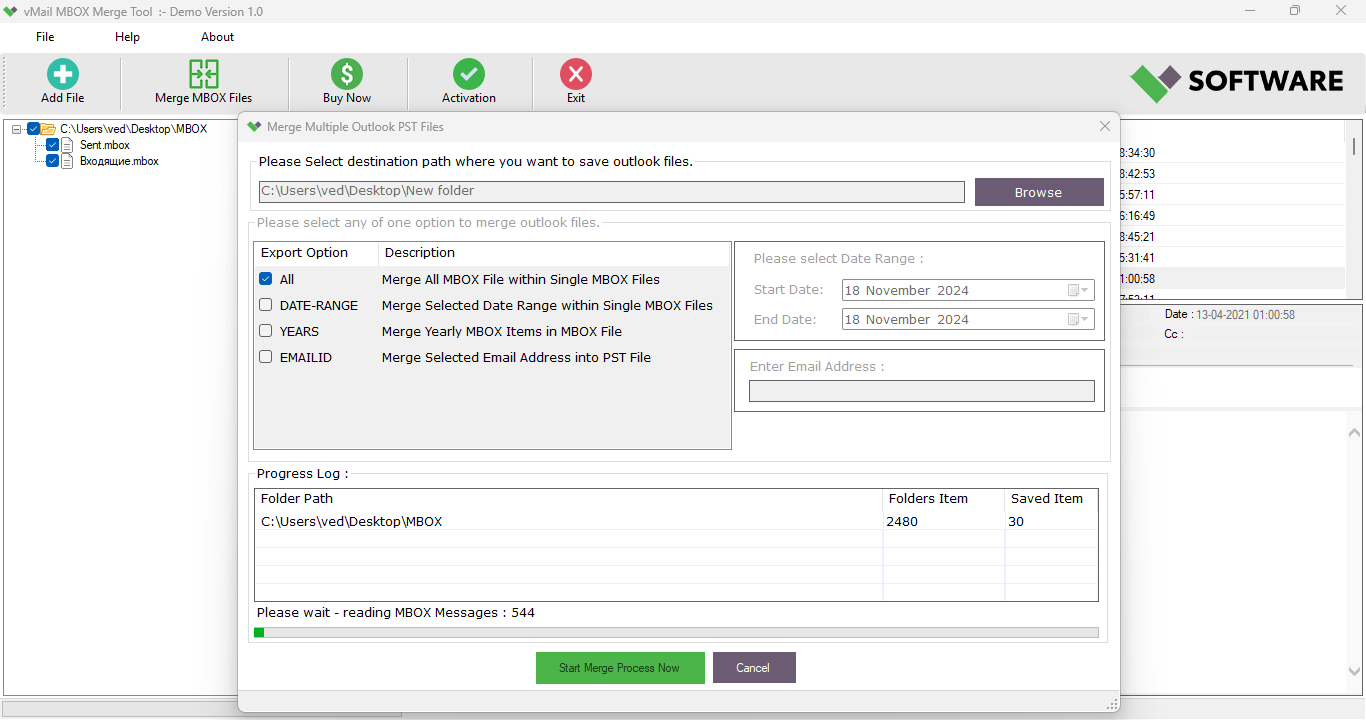
- Demo and Full Versions: A demo version allows users to test the software by merging up to 30 items per MBOX file. This provides a risk-free way to evaluate functionality before purchase. The full version removes all limitations, enabling unrestricted merging of any number of email items.
- Fast License Delivery: After purchase, users can expect license activation within 15 minutes to 72 hours, depending on the purchase channel. For Microsoft Store purchases, the process is further simplified with integrated license provisioning.
- Customer Support: The vMail team offers dedicated support for installation, configuration, and troubleshooting, ensuring users receive timely assistance throughout the software lifecycle.
For example, a user migrating from an old Thunderbird setup to a new email platform can use the tool to merge dozens of MBOX files into a single archive, preserving all folders and sub-folders. This significantly reduces manual reorganization and ensures data integrity across the transition.
Interface, UX & Performance
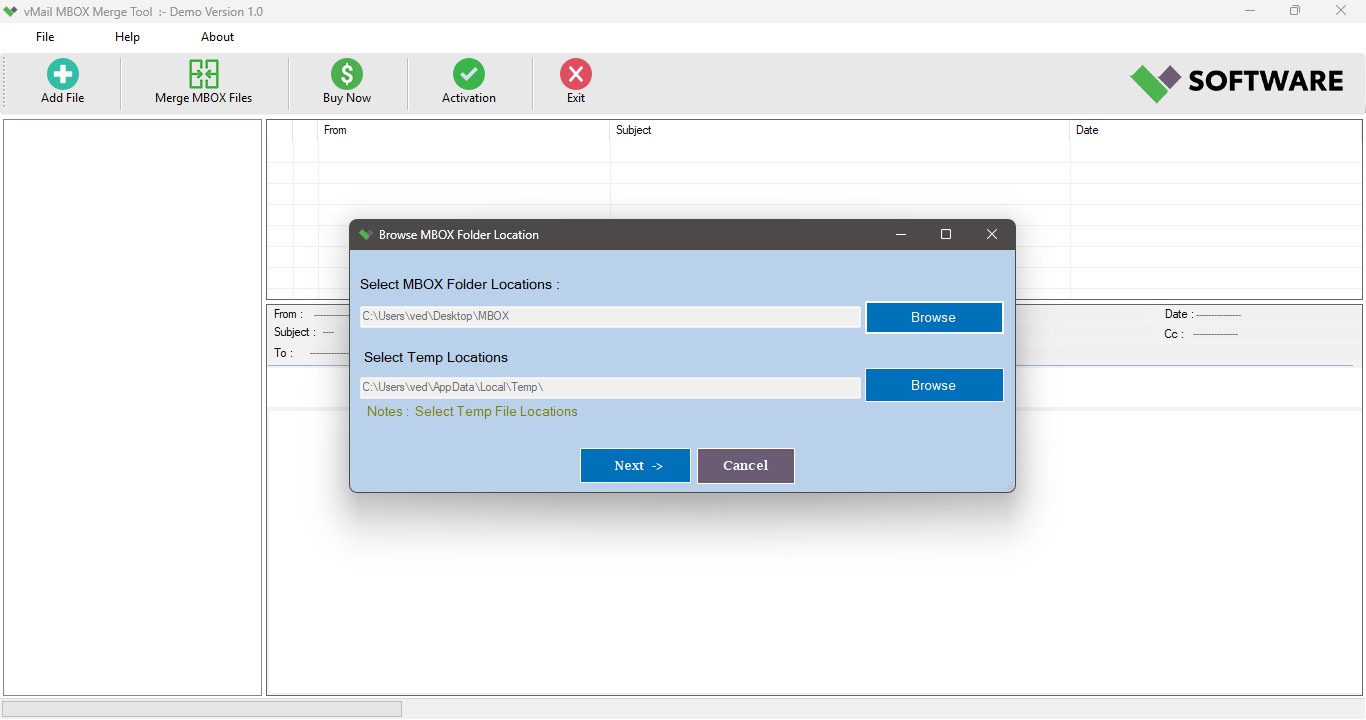
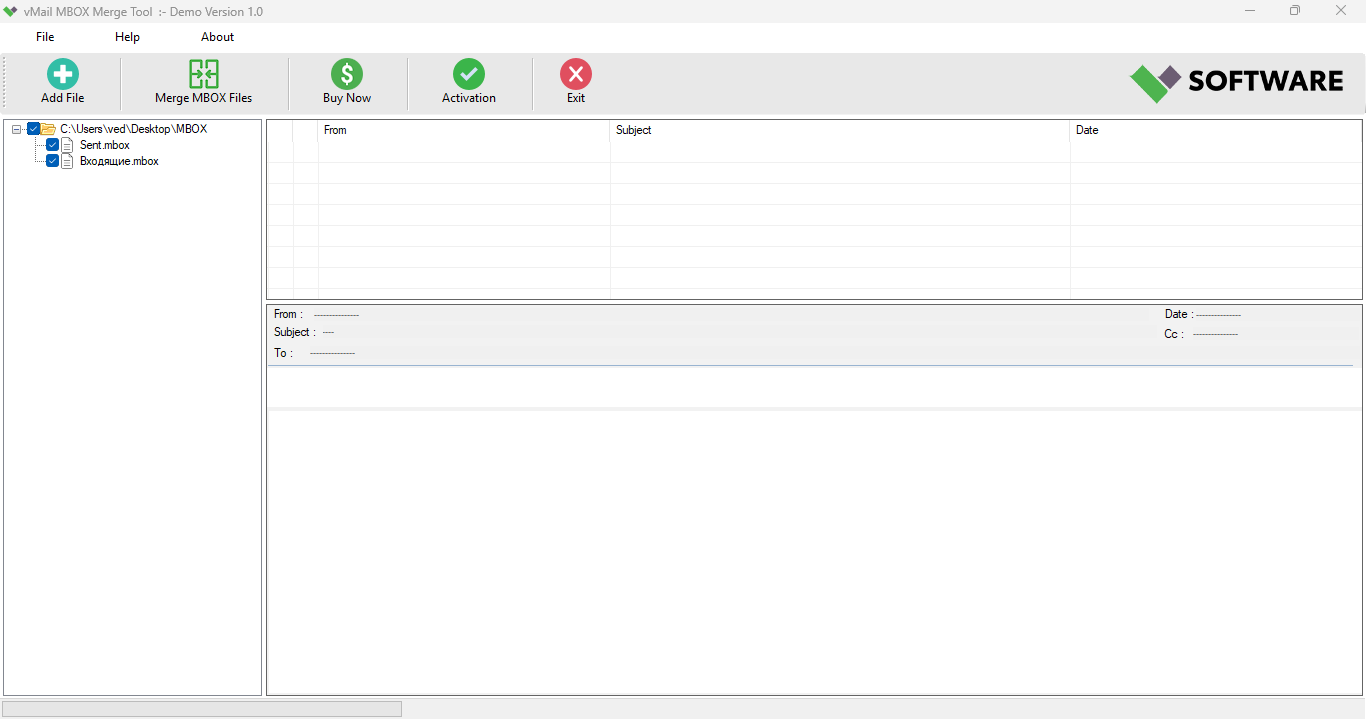
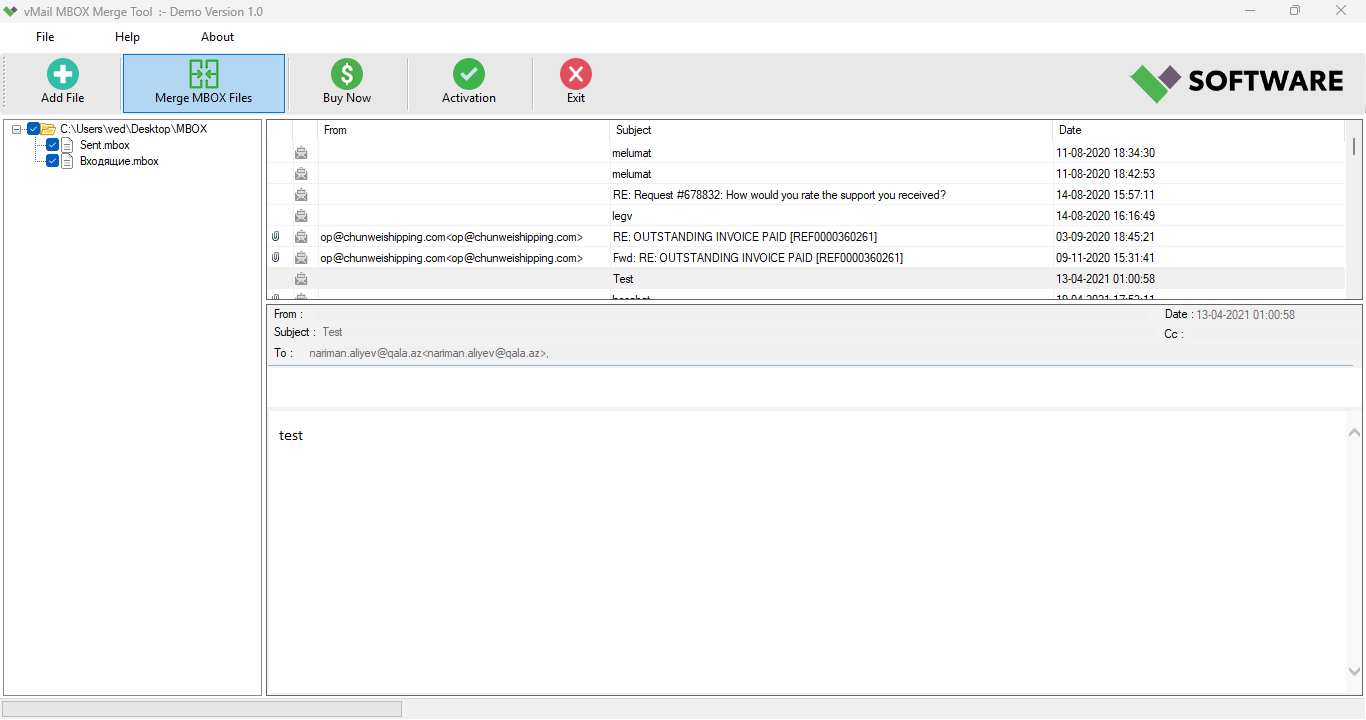
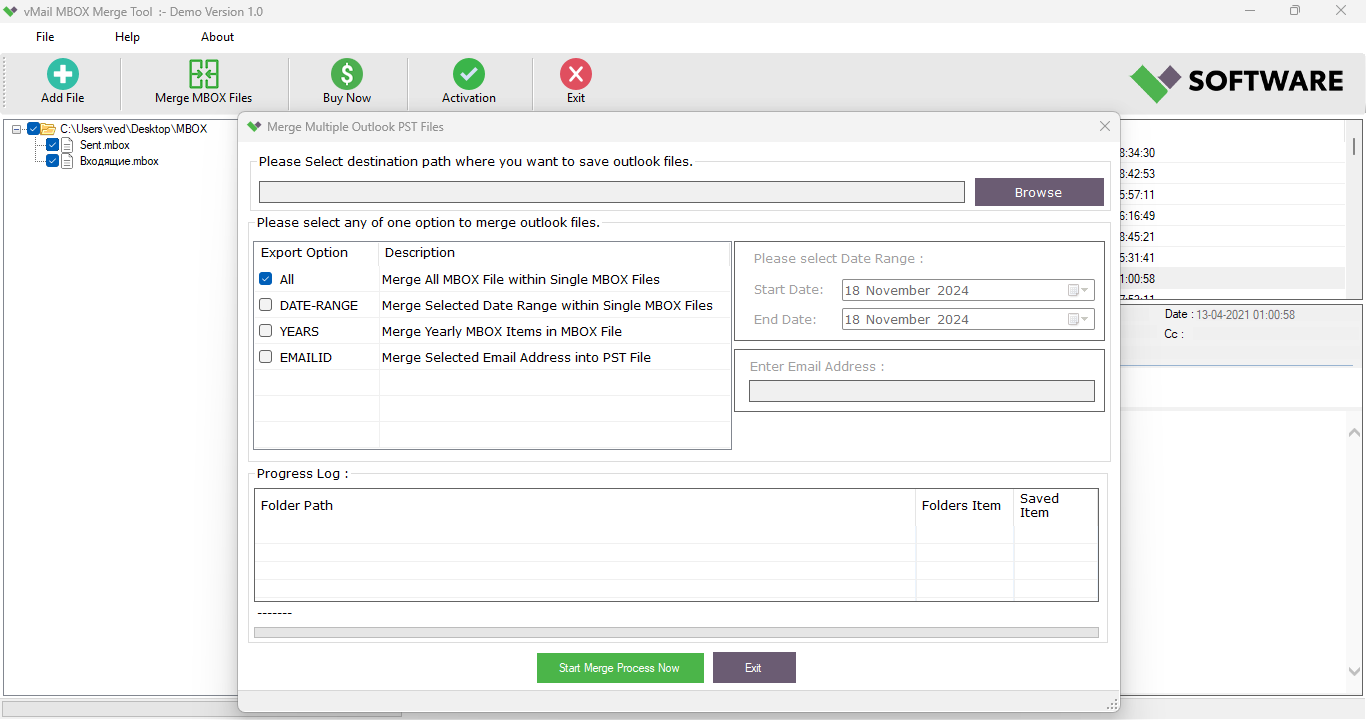
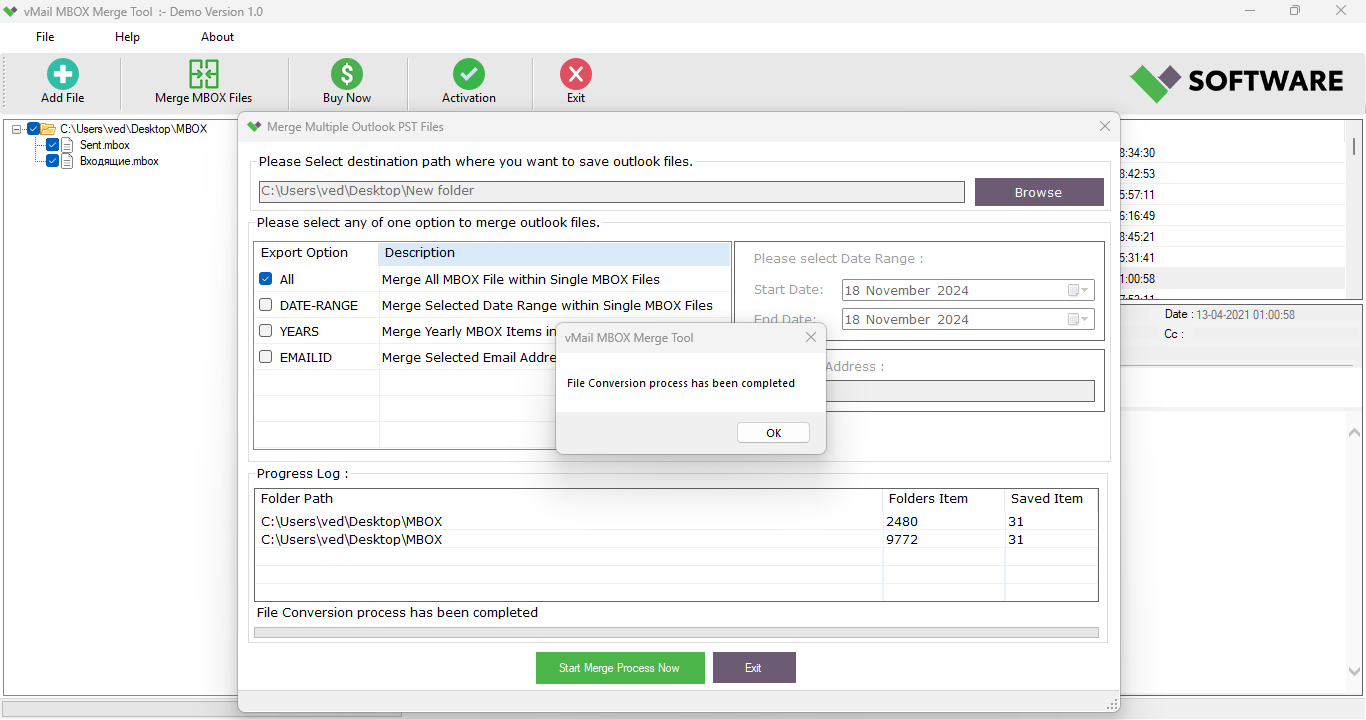
The MBOX Merge Tool features a clean, minimalistic interface designed for clarity and ease of navigation. Users are presented with a straightforward workflow: add MBOX files, select output settings, and initiate the merge. The layout emphasizes functionality over visual flair, prioritizing efficiency for power users. Although the developer did not list formal performance metrics, the tool is described as efficient in handling large volumes of email data, suggesting optimized memory and disk usage.
Navigation is linear and intuitive, with clear buttons and status indicators throughout the process. The application remains responsive during file processing, with no reported freezing or crashes in available documentation. While the developer did not specify compatibility with low-end or high-end devices, the 25.8 MB file size indicates a lightweight footprint, likely ensuring smooth performance across a broad range of Windows systems. Stability appears to be a focus, as the software maintains data integrity throughout the merge process, a critical factor for any data management tool.
Platform Compatibility & Technical Requirements
The MBOX Merge Tool is designed for the Windows platform and requires a compatible Windows operating system. The software version is 1.0, with a file size of 25.8 MB. Specific OS version requirements were not listed by the developer, so users should verify compatibility with their system configuration before installation. The tool is not currently available on mobile platforms such as Android or iOS, indicating it is intended for desktop use.
Given the file size and platform specificity, the application is likely optimized for Windows environments with standard hardware configurations. The developer did not provide details on required RAM, processor speed, or disk space beyond the total file size. However, the lightweight nature of the software suggests it can run on most modern Windows machines without performance degradation.
Pros and Cons
Pros
- Preserves original folder and sub-folder structure during merging
- Intuitive interface suitable for non-technical users
- Offers a functional demo version for testing capabilities
- Fast license delivery after purchase
- Supports large-scale email archive consolidation
Cons
- Not available on mobile platforms (Android, iOS)
- Specific system requirements were not disclosed
- Price point may be high for individual users
- Only available for Windows, limiting cross-platform use
- No information on automatic update mechanisms
FAQ
Is the MBOX Merge Tool secure to use?
The tool is designed to handle sensitive email data and maintains data integrity during merging. While the developer did not specify encryption or security certifications, the software operates locally on the user’s machine, reducing exposure risks.
Can I use the tool on multiple devices?
Specific licensing terms were not provided. Users should consult the official purchase page or support team for details on device usage and license transfer policies.
Is there a free version of the MBOX Merge Tool?
A demo version is available that allows merging up to 30 items per MBOX file. However, the full version requires a purchase at $49.95 for unlimited functionality.
How do I get support if I encounter issues?
vMail provides customer support for installation, configuration, and troubleshooting. Assistance is available through official channels, with a focus on timely and responsive service.
Does the tool update automatically?
The developer did not disclose information about automatic update features. Users may need to manually check for updates or rely on the vendor’s release notifications.
Final Thoughts
The MBOX Merge Tool stands out as a reliable and focused utility for users managing complex email archive consolidation tasks. Its ability to preserve folder hierarchies and merge multiple MBOX files efficiently makes it an essential tool for data migration, archival, and system transition projects. While its Windows-only availability and lack of mobile support limit cross-platform flexibility, its core functionality is robust and well-executed. The inclusion of a demo version adds transparency and trust, allowing users to verify performance before committing financially.
For system administrators, IT professionals, and anyone handling bulk MBOX data, this tool offers a secure, structured, and time-saving solution. The value proposition is strong, especially for users requiring high-fidelity data merging without organizational disruption. Despite the price point, the tool’s precision and reliability justify its cost in professional environments.
Download MBOX Merge Tool now
Guides & Tutorials
How to install MBOX Merge Tool
- Click the Download button above.
- Once redirected, accept the terms and click Install.
- Wait for the MBOX Merge Tool download to finish on your device.
How to use MBOX Merge Tool
This software is primarily used for its core features described above. Open the app after installation to explore its capabilities.
User Reviews
No reviews yet. Be the first to share your experience.
You may also like
more
Que no te pillen¡
About !Que no te pillen¡Reviewed by Jason A. BilbreyShow MoreShow Less

3D Combat Zone
About 3D Combat ZoneOriginally released in 1983, 3D Combat Zone immerses players...

666: El día del portal
About 666: El día del portalOn June 6, 2006, Agent P. Stone uncovers a sinister...

80 in 1 Best Flash games
About 80 in 1 Best Flash games 80 in 1 Best Flash games is a collection of 80 fl...

ABYSS SEEKERーーWhat Do You See Deep in The Abyss
About ABYSS SEEKERーーWhat Do You See Deep in The AbyssIn ABYSS SEEKER, players...

ACA NEOGEO THE KING OF FIGHTERS 2002 for Windows
About ACA NEOGEO THE KING OF FIGHTERS 2002 for WindowsTHE KING OF FIGHTERS 2002,...